
 Deutsch
eduroam with Blackberry
The configuration described below requires an LRZ account. For further information, please read our FAQ at http://www.lrz.de/fragen/faq/wlan/funk14/ (method 2).
To configure eduroam on a Blackberry, first download the Deutsche Telekom Root CA 2 certificate from http://www.pki.dfn.de/fileadmin/PKI/zertifikate/deutsche-telekom-root-ca-2.crt and save it on the Blackberry under BlackBerry/documents. To install the certificate, proceed as follows:
→ Menu
→ Applications

→ Files
→ My files
→ Memory card
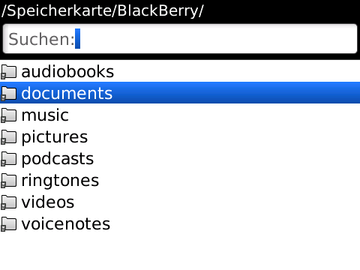
→ BlackBerry
→ Documents
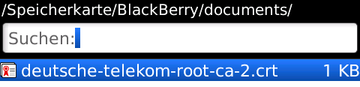
→ Select certificate
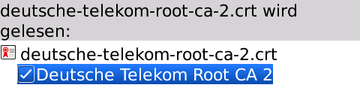
→ Click on Deutsche Telekom Root CA 2
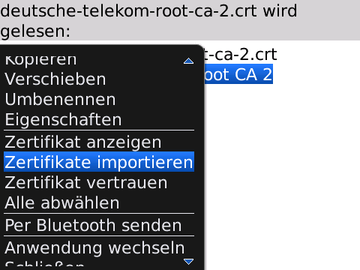
→ Menu
→ Import certificate
→ Enter a key store password (freely selectable):
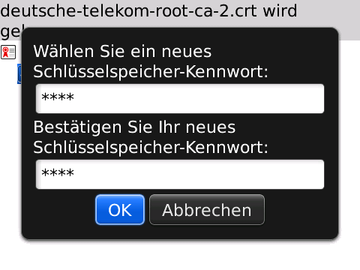
→ Application requests access: OK
→ In the next step, the WLAN connection has to be configured:
→ Menu
→ Manage connections
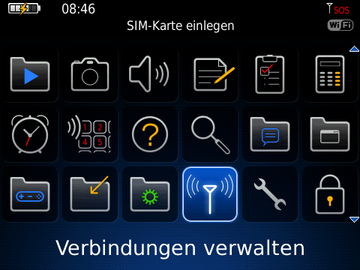
→ Switch on Wi-Fi
→ Set Up Wi-Fi Network
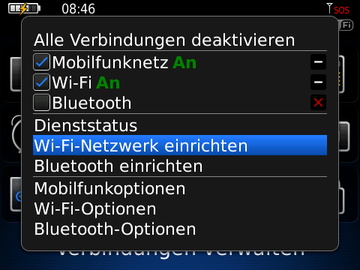
→ Welcome to the Wi-Fi installation assistant -> Next
→ Scan for Networks
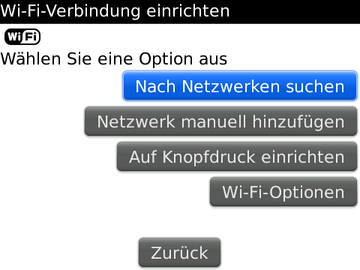
→ Select eduroam WPA2-Enterprise
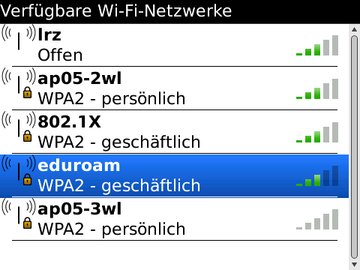
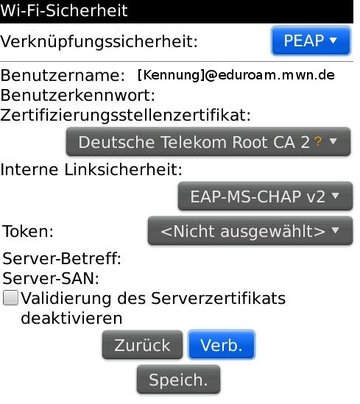
→ Security Type: PEAP
→ User name: username@eduroam.mwn.de
→ User password: password
→ CA certificate: Deutsche Telekom Root CA 2
→ Inner link security: EAP-MS-CHAP v2
→ Save this Wi-Fi Network as a Profile? Yes
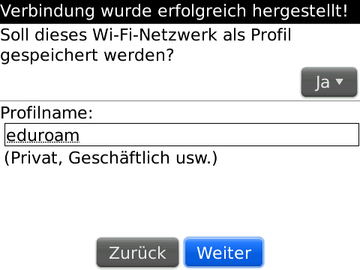
→ Profile name: eduroam
→ Next
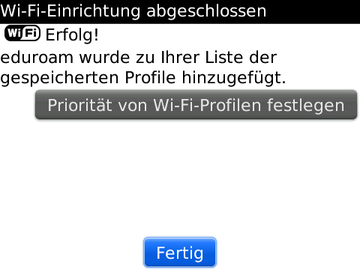
→ Click Finish